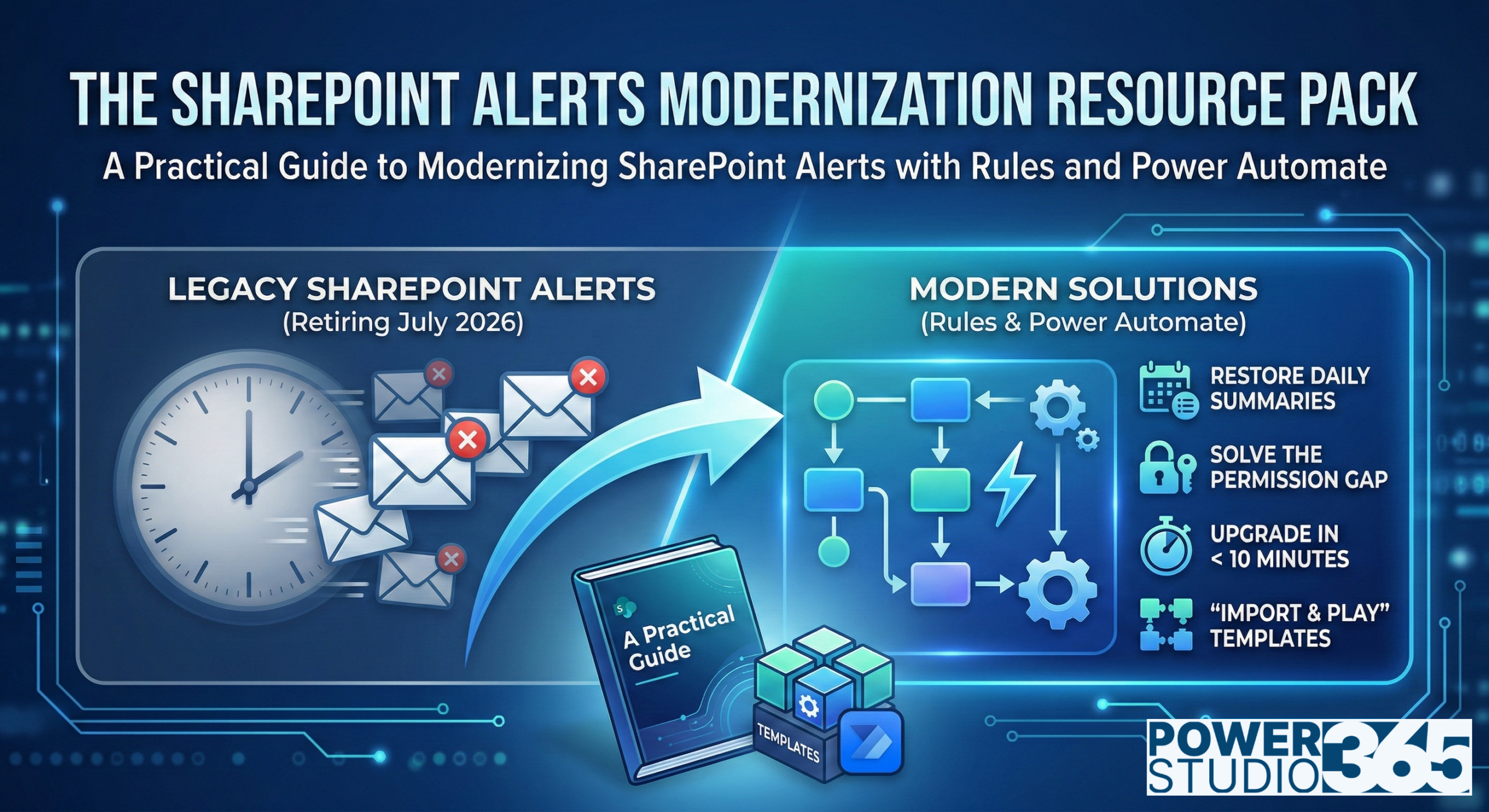
The January 2026 SharePoint Alert milestone is behind us. Microsoft is gradually disabling the ability to create new alerts across all tenants. If you didn’t set up your “Alert Me” notifications before last month, you have missed your chance. Your current email alerts will stay active for now, but they have an expiration date. The clock continues to tick toward the final retirement in July 2026.
It is officially time to stop mourning the loss of a classic feature and start building the future of your productivity. Get started today with the SharePoint Alerts Modernization Resource Pack by visiting Power Studio365.
If you are just starting this journey, you may want to review our overview SharePoint Alerts are Retiring: What You Need to Know.
These modern tools give you greater control and targeted notifications, keeping your inbox from flooding. You can turn standard notifications into branded digests that arrive in Teams or Outlook at the right time.
This guide helps you navigate the retirement and offers a blueprint for building a notification engine for a modern team. We have only a few months left before the final shutdown. Let’s make them count.
The Retirement Roadmap: Where We Stand Now
The transition from planning to active migration happened last month. We have passed the point of no return, and the timeline is now moving quickly toward the final retirement.
- January 2026 Milestone (Passed): The creation of new SharePoint Alerts will be gradually turned off for all tenants.
- The 30-day Renewal (Current): Your existing alerts live on borrowed time. You must manually extend the expiration date in your notification emails to keep them from expiring.
- July 2026 Deadline (Final): In July 2026, Microsoft will remove the ability to use SharePoint Alerts, and existing Alerts will stop working.
For more information, refer to the official documentation on SharePoint Alerts retirement.
SharePoint’s new native SharePoint Rules provide a basic fix for simple notifications, but they are not a true 1:1 replacement.
This retirement is an opportunity to upgrade by moving to Power Automate to build a smarter, professional notification system that bypasses the limitations of native SharePoint Rules.
Do not wait for July to see what breaks. This guide shows where native tools fall short and how to use Power Automate to stay ahead.
Bridging the Gaps
As you explore SharePoint Rules, you will likely find gaps between the classic alerts and SharePoint Rules.
First, you lose the Daily and Weekly Digest feature. Unlike legacy alerts, modern rules cannot consolidate updates. For example, a high-volume library might flood your inbox with individual notifications for each update and new file. As a result, critical information can be lost in the noise.
Beyond missing features, you face a permission hurdle. While classic alerts allowed read-only users to subscribe to updates, SharePoint Rules require Contribute permissions. This can create a conflict for IT administrators and site owners who need to keep stakeholders updated without over-permissioning users.
Why Power Automate Outperforms Native Rules:
- Consolidated Reporting: You trade dozens of daily interruptions for one daily or weekly digest of changes.
- Tightened Security: You can keep library permissions restricted while keeping your read-only users up to date.
- Centralized Management: You manage a single flow for the library across the whole team, rather than individual user rules.
- Professional Reach: You can broadcast updates to external partners or Teams Channels.
Introducing The SharePoint Alerts Modernization Resource Pack
Recognizing these technical gaps is only the first step. Closing them requires a structured strategy.
Because the July 2026 deadline is firm, you cannot waste time on trial and error. To simplify this transition, we developed The SharePoint Alerts Modernization Resource Pack. This resource serves as your roadmap for modernizing notifications across your entire organization.
The Resource Pack moves beyond basic theory and provides immediate, actionable tools to handle the transition, such as:
- Understanding the Replacement Options: The guide clarifies exactly which tool fits your specific scenario.
- SharePoint Alert Replacement Decision Matrix: Offers a logical path for choosing between simple Rules and advanced Flows.
- Advanced SharePoint Rules: Examples that allow you to push native features to their limits.
- Modernization Checklist: A checklist for auditing your environment and transitioning legacy “Alert Me” notifications into modern alternatives.
Most importantly, the Resource Pack features a Power Automate Template Pack.
The template pack comes with five “Import and Play” solutions ready for immediate deployment.
By following this method, you avoid common pitfalls, save hours of configuration time, and ensure your team stays productive throughout the retirement process.
A Look Inside: The Power Automate Template Pack
While the Resource Pack offers guidance, the Power Automate Template Pack provides the technical muscle to restore your lost functionality. We designed these five templates to solve the most painful gaps left by the legacy system. Instead of spending days debugging complex filters and logic, you can import these pre-built solutions and start running them in minutes.
High-Value Templates Included:
Get your SharePoint Alerts Moderization Resource Pack today! Visit Power Studio365.
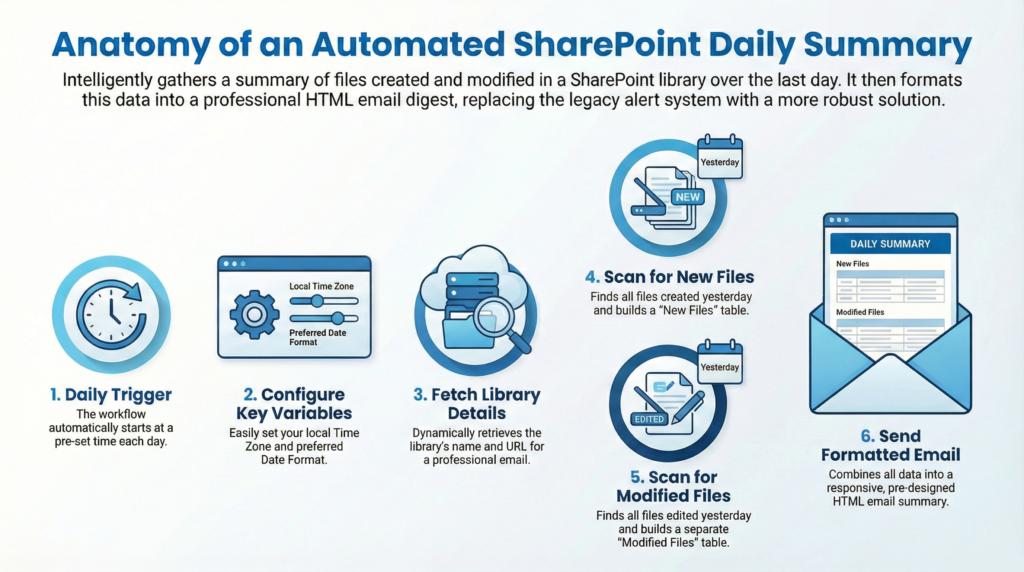
The Document Library Daily Digest
This restores the “Holy Grail” of alerts. It aggregates all changes from the last 24 hours into a professional morning report, ending the flood of individual emails.
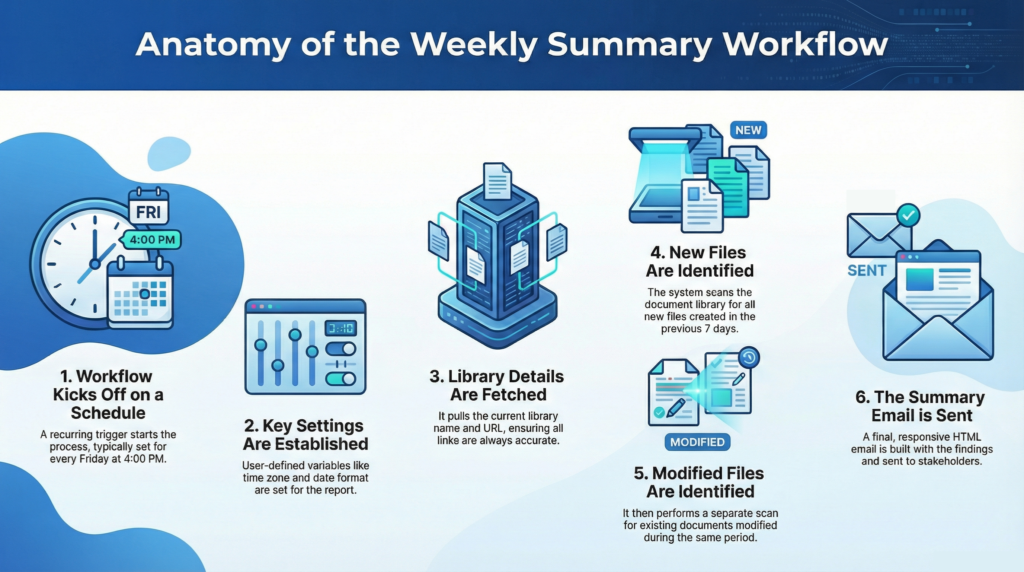
The Document Library Weekly Wrap-Up
Perfect for Friday afternoons, this flow summarizes all weekly activities. It keeps stakeholders informed without requiring real-time monitoring of the library.
The Document Library Broadcast Alert
This template bypasses the “Permission Gap” entirely. It can push updates to read-only users, Microsoft 365 Groups, or Teams Channels from a single centralized workflow.
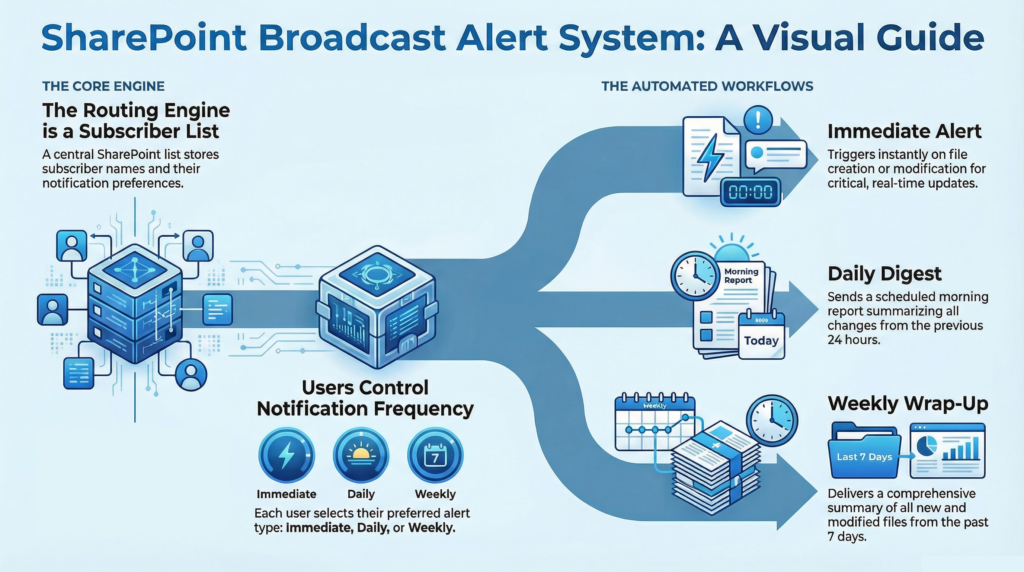
Task List Due Date Reminder & Escalation
Move beyond simple pings by automating follow-ups. If a task hits its due date, the flow notifies the owner. If it remains incomplete, the alert escalates to a manager.
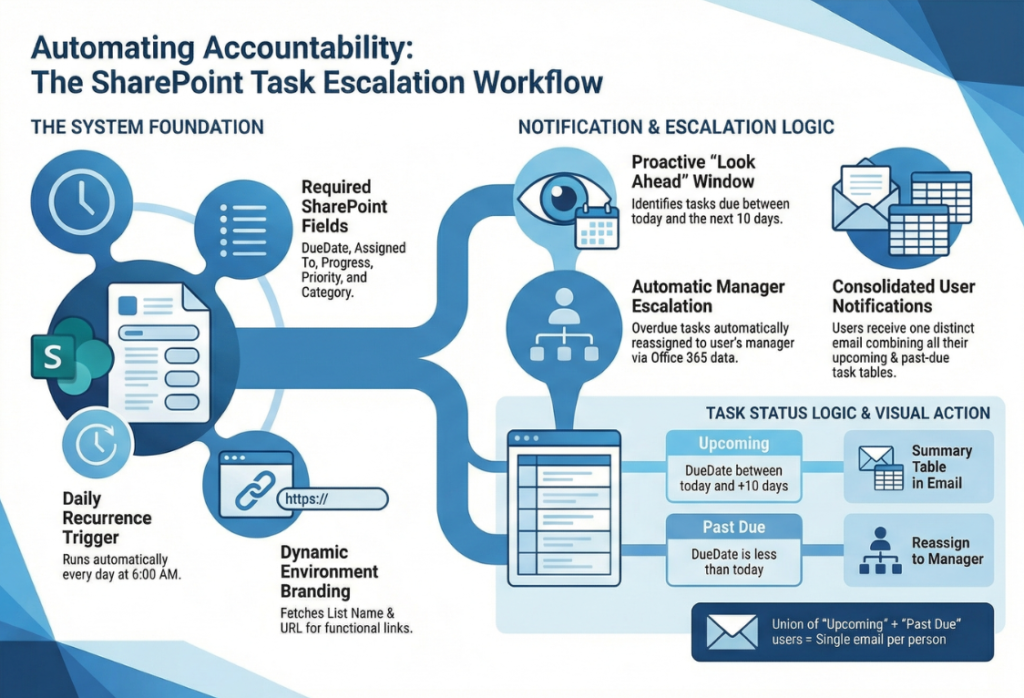
Task List Due Date Risk Detection
This advanced tool calculates task schedules. It flags “Not Started” items that have used more than 50% of their allotted time, allowing you to catch delays before they happen.
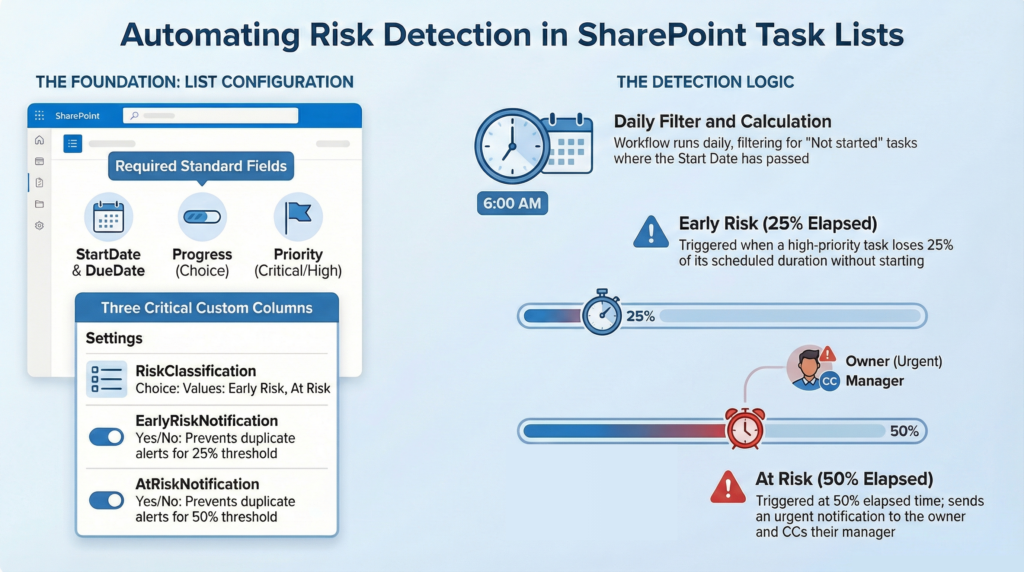
Ultimately, these templates transform your notifications from passive emails into active management tools.
They provide a quick on-ramp for delivering a premium experience that legacy alerts never offered, and let you go beyond just replacing a feature. With these templates, you can start building a sophisticated communications engine that scales with your business.
Why This is Your Best Path Forward (Buy vs. Build)
Choosing the SharePoint Alerts Modernization Resource Pack over building from scratch saves you from the technical “weeds” of Power Automate development.
While you might be tempted to build these flows manually, creating a high-quality, dynamic, and scalable Daily Digest framework requires knowledge of OData filter queries, HTML table styling, and variable manipulation.
Instead of wasting hours troubleshooting these technical hurdles, you can deploy our solutions in minutes. You trade weeks of frustration for fast, reliable results.
In addition to saving time, you avoid the “orphan flow” problem by using standardized templates that any admin can support. This ensures a smooth, professional transition that keeps your team productive through the 2026 sunset.
Wrapping Up: The July 2026 Countdown
The clock is ticking toward the final July 2026 deadline. We have moved past speculative planning and into the high-stakes execution of this migration.
As the classic SharePoint Alerts approach retirement, you must decide whether to let your critical notifications go dark or proactively modernize your entire notification strategy.
Instead of waiting for the system to break, you should take control of your transition right now. While native SharePoint Rules provide a basic safety net, they cannot support the complex needs of a high-performance team.
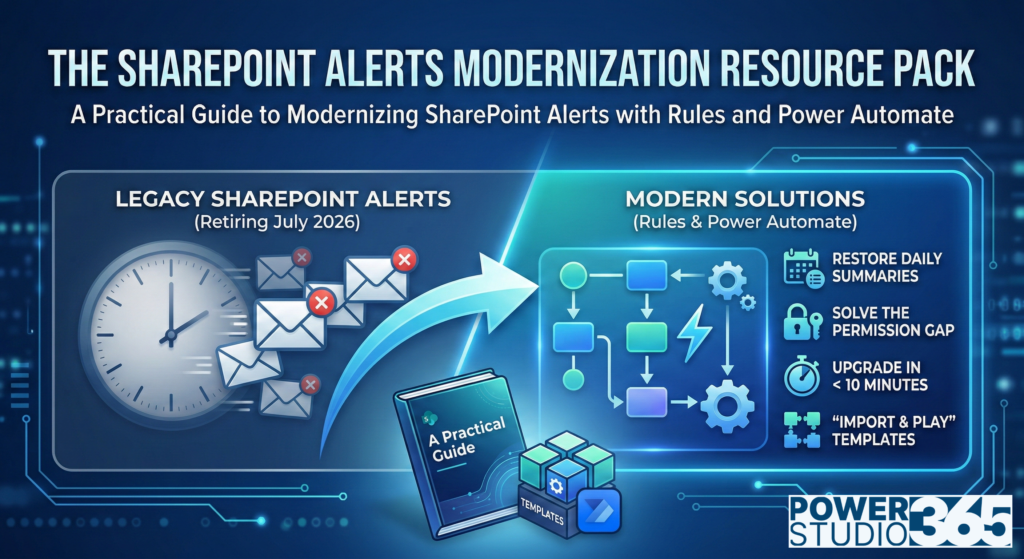
Get your SharePoint Alerts Moderization Resource Pack today! Visit Power Studio365.
By downloading The SharePoint Alerts Modernization Resource Pack, you gain more than just a guide; you acquire the decision matrix and pre-built templates necessary to ensure your team never misses a beat.
Ultimately, this transition is a turning point for your digital workspace. Choosing to automate today secures your productivity for years to come. Do not leave your business processes to chance as the sunset approaches. Instead, invest in a solution that turns a forced retirement into a significant operational advantage. Secure your copy of the Playbook today and lead your team confidently into the future of SharePoint automation.
Thank you for reading!
Power Studio365 focuses on practical guidance, design patterns, and real-world lessons from working with Microsoft 365, SharePoint, Power BI, and the Power Platform.
The goal is simple: help you work smarter, avoid common pitfalls, and build solutions that actually hold up in day-to-day use.
Build Smarter. Build Faster. Build with PowerStudio365.
New posts are published regularly, so check back often — or subscribe to stay up to date when new content is released.
Leave a Reply